
【方法一】python简易打包exe
PyInstaller介绍
PyInstaller是一个Python库,可以将Python代码打包成独立的可执行文件,可以在没有安装Python解释器的机器上运行,也可以在没有源代码的情况下共享和分发自己的应用程序。PyInstaller可以将Python代码转换为可执行文件,支持Windows、Mac OS X和Linux等操作系统。
使用PyInstaller可以让Python程序变得更加便携、易于分发和部署,同时也可以保护源代码,防止被反编译和修改。PyInstaller使用简单,只需要在命令行中输入命令即可将Python代码转换为可执行文件,还可以通过配置文件进行自定义设置。
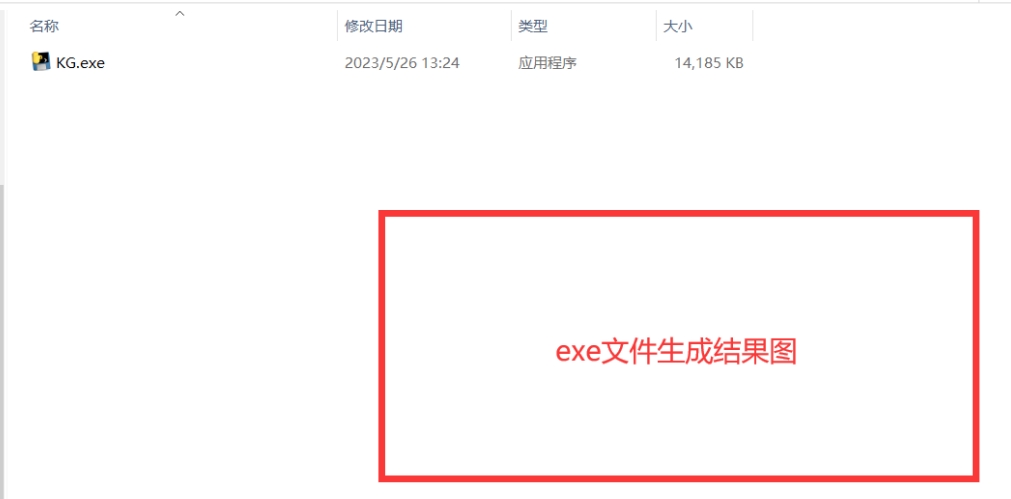
安装 pyinstaller
在CMD中输入
pip install pyinstaller将py文件打包成exe中,需要按照如下在CMD中输入
pyinstaller -F xxxx.py
或者
pyinstaller --onefile xxxx.py
如果想加上图标,则:
pyinstaller -D -i "icon.ico" xxxx.py
或者
pyinstaller -i icon.ico --onefile xxxx.py
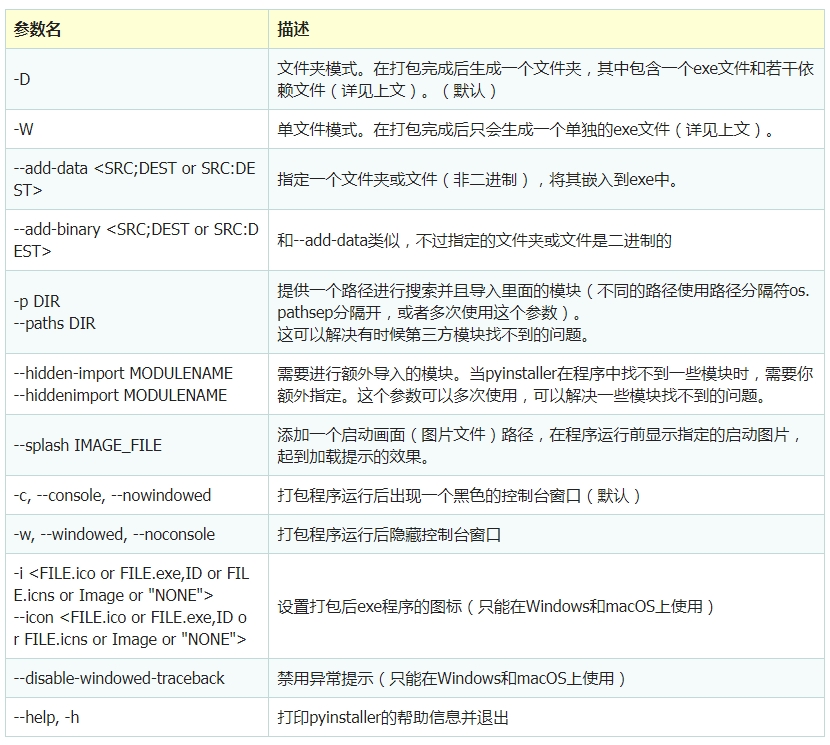
调用命令时,首先给出工具名称(比如上面的 pyinstaller ),然后提供相关参数,有一些参数是可选的但不需要附带任何值(比如上面的 -D ),有一些参数是必选的(比如上面的 myscript.py ),有一些参数需要附带一个值(比如上面的 -i “icon.ico” )。其中有一些参数可以简写(比如 -i 就是 –icon 的简写)。
问题1:
The ‘enum34’ package is an obsolete backport of a standard library package and is incompatible with PyInstaller. Please conda remove enum34 then try again
解决办法: CMD中输入
pip uninstall enum34问题2:
The ‘typing’ package is an obsolete backport of a standard library package and is incompatible with PyInstaller. Please remove this package (located in C:\Users\HuiLong\AppData\Local\Programs\Python\Python39\lib\site-packages) using
“C:\Users\HuiLong\AppData\Local\Programs\Python\Python39\python.exe” -m pip uninstall typing
then try again.
解决办法: CMD中输入
pip uninstall typing